🔎
Search by meaning, in any language.
Type “car insurance” and find the policy that says “Kfz-Versicherung”.

Find any file by describing it. Free up space with an undo for everything. Documents and photos understood by AI that runs on your Mac — MatterByte never uploads your files.
14-day free trial with every feature · macOS 26 or later · Apple silicon
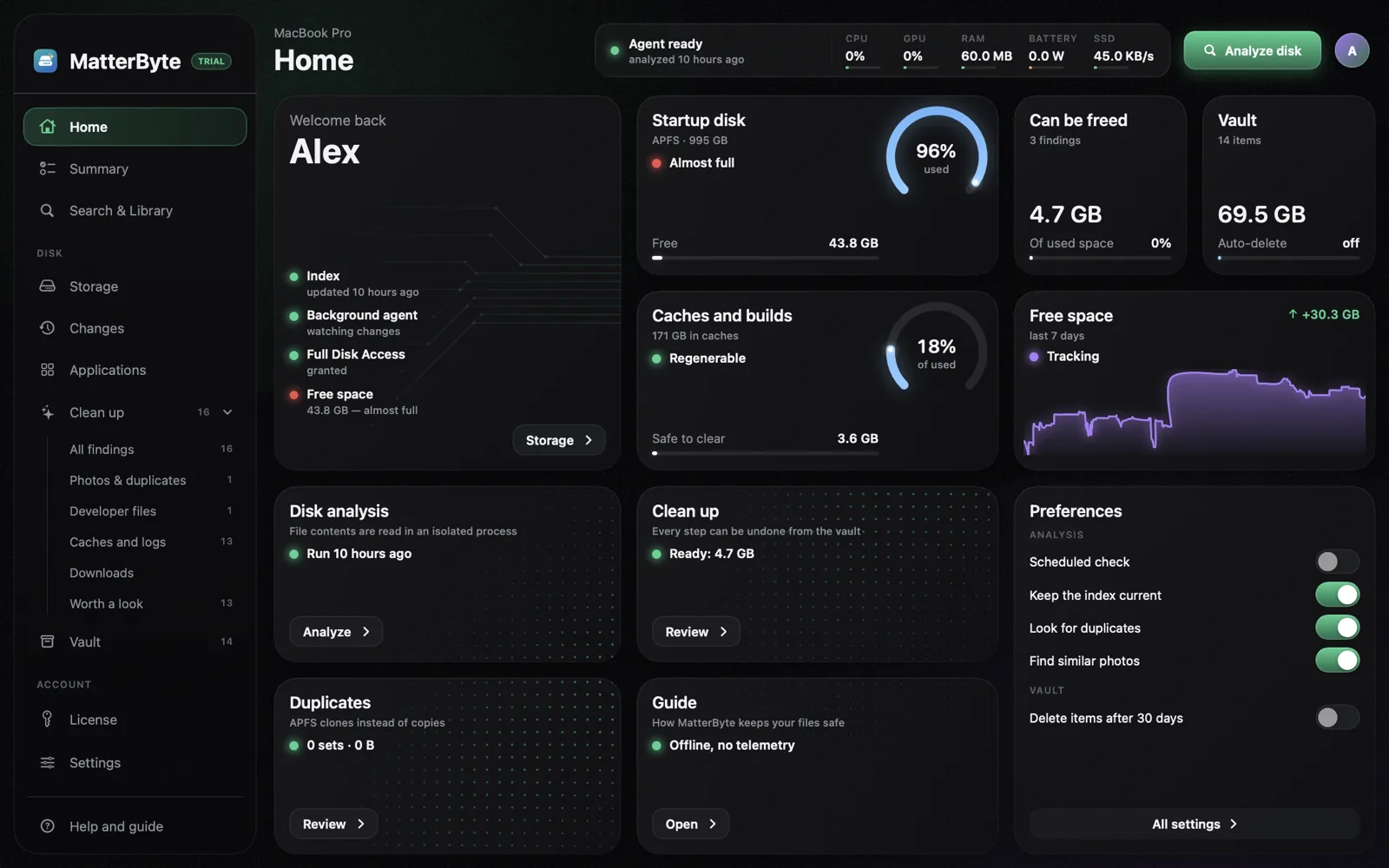
Type “car insurance” and find the policy that says “Kfz-Versicherung”.
Files go to a vault on the same disk. One click brings them back.
Copies become APFS clones: every path keeps working, the space comes back.
Invoices, contracts and IDs read on your Mac — and protected from cleanup.
Analysis, search and AI run on this Mac. MatterByte itself never uploads your files.
Search inside PDFs, Office files, scans and screenshots — by the words they contain or by what they mean. MatterByte reads text on device, recognises it in images, and understands queries in any language.
Caches, old downloads, build leftovers, forgotten virtual disks — each finding says what it is, why it is safe and how much it frees. Cleaning moves files to a vault on the same disk; the space returns when you empty it.
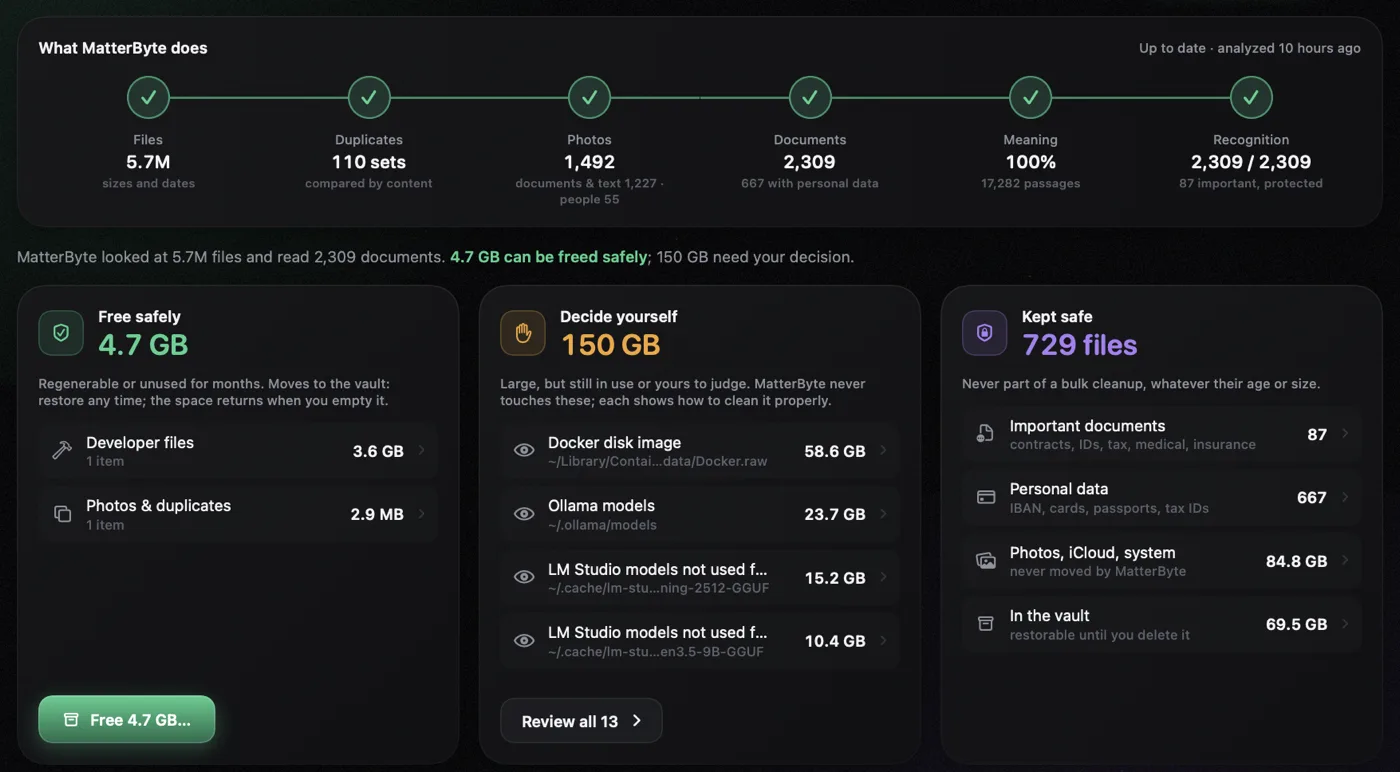
App data, caches, developer projects, virtual machines, your own files: MatterByte sorts millions of files into what they are, then keeps the picture current as files change.
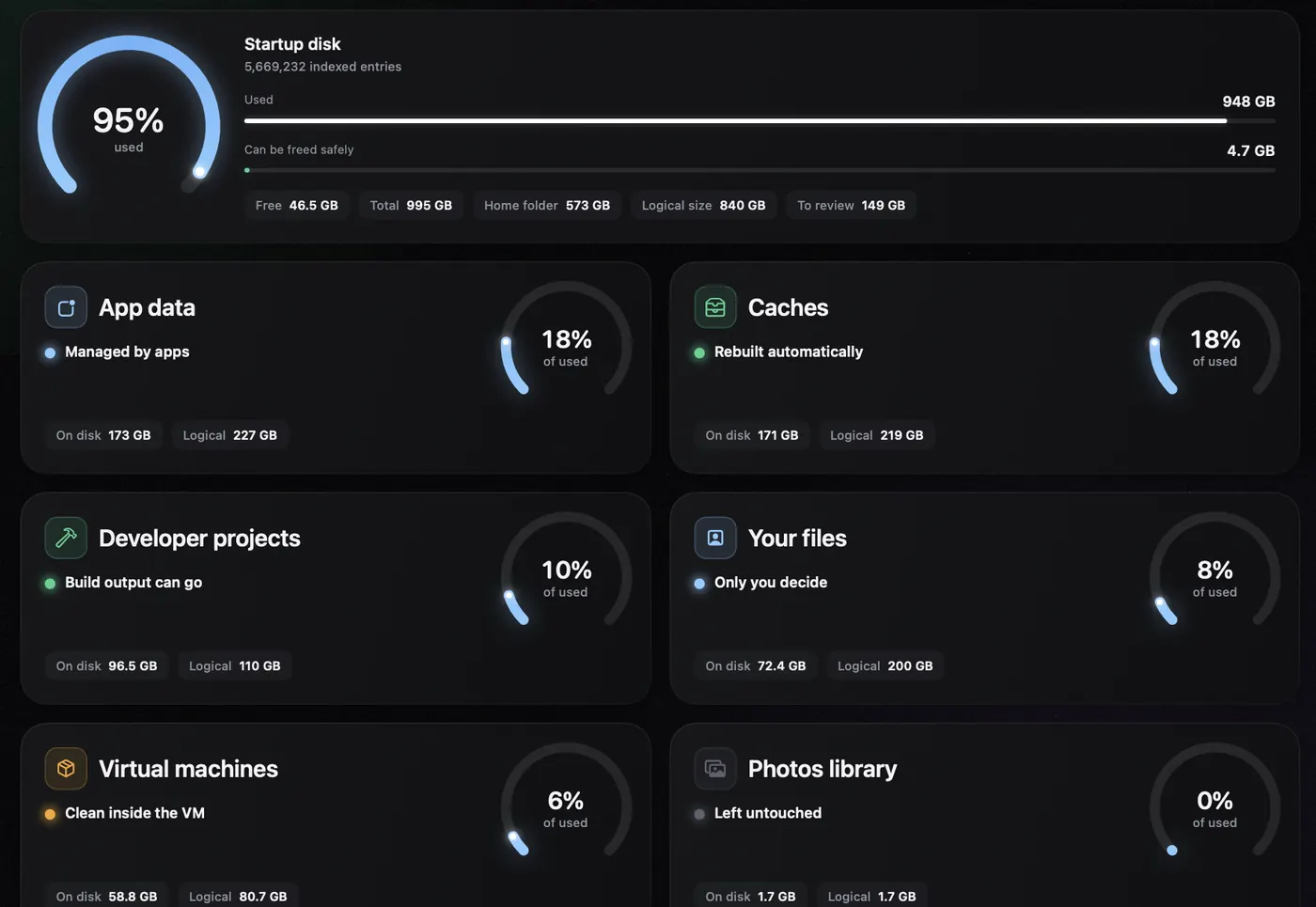
Exact duplicates are compared by content, then turned into APFS clones. Every copy stays where it was and opens as before — they simply share the same blocks on disk. Near-identical photos are grouped, and the best shot is kept.
A local AI model reads invoices, contracts, payslips, statements and IDs: their type, date, amount and the parties involved. Every value is checked against the document’s own text, and important papers are protected from cleanup.
Illustration. Search by meaning is built in; document recognition downloads its model once after setup and needs 8 GB of memory.
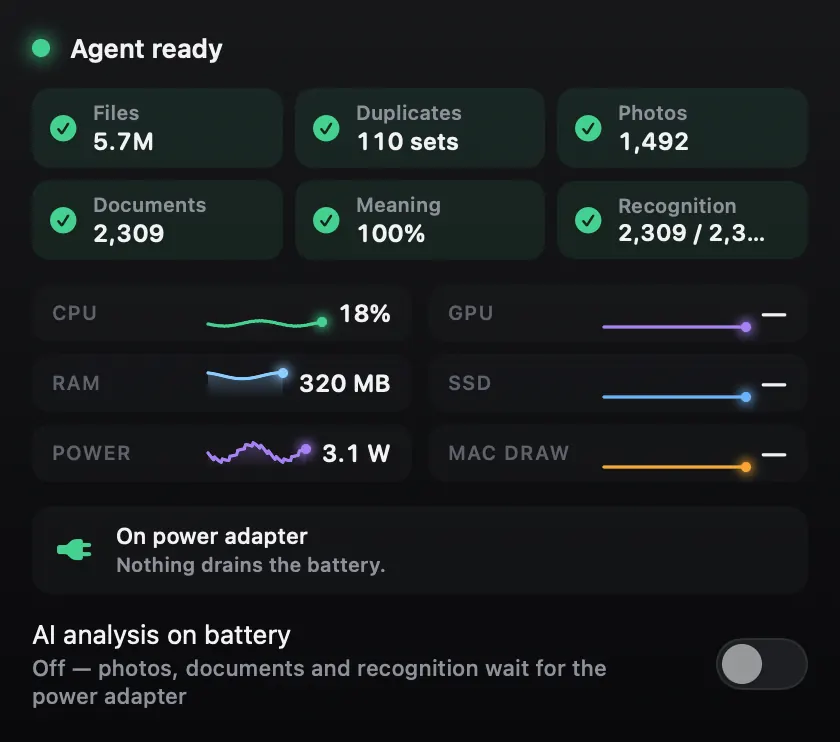
MatterByte keeps its index current from file-system events while it is open — or from login, if you allow it — and heavy work waits until you are away. On battery, in Low Power Mode or when the Mac is warm, AI pauses by itself — and you can see exactly what it costs.
Obsidian for dark rooms, Porcelain for bright ones — chosen at first launch. The whole app speaks ten languages.
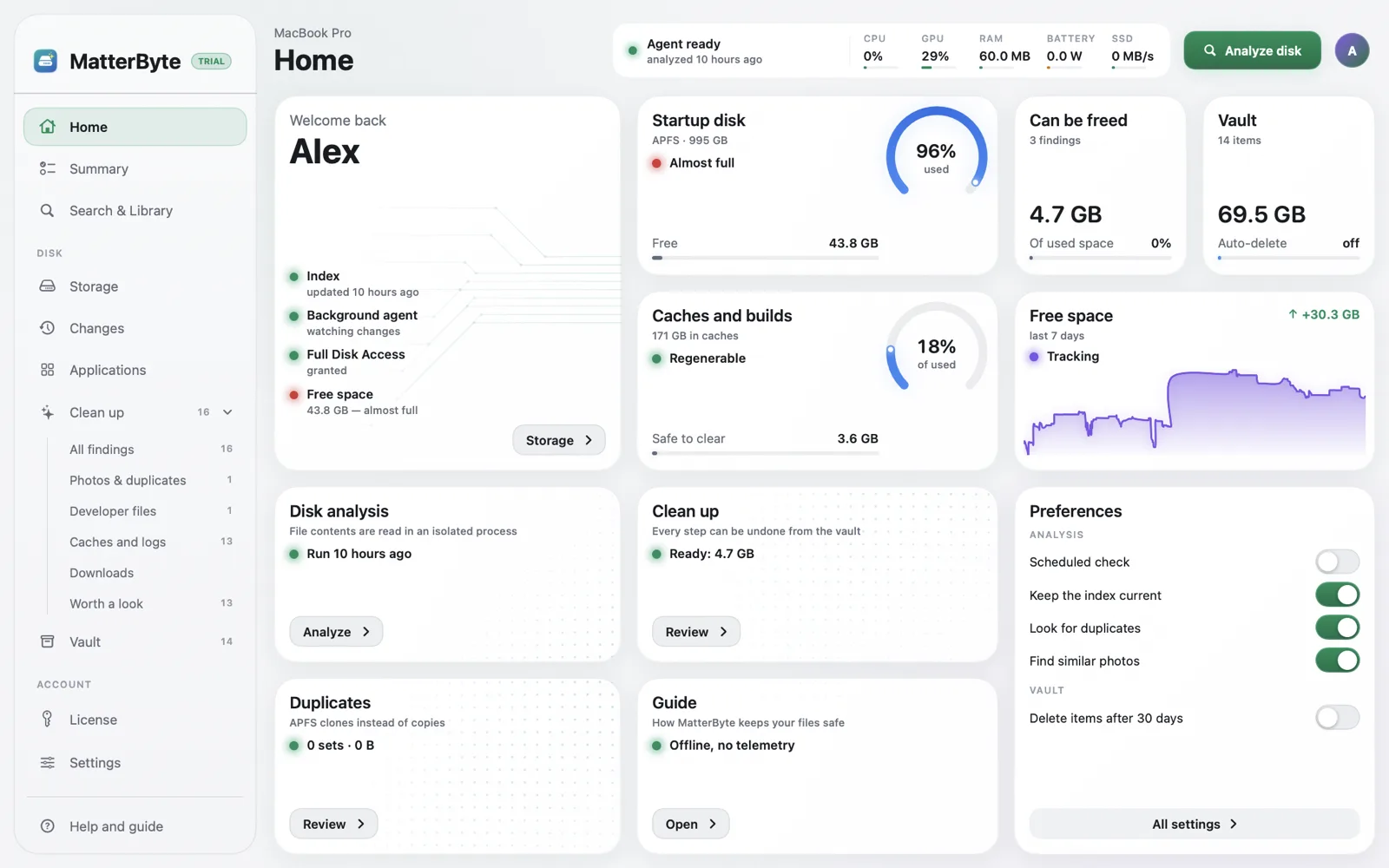
MatterByte never sends your files, names, paths, document text or results anywhere. There is nothing to sign up for.
No sign-in, no analytics, no telemetry, no crash uploads.
File contents are read by a sandboxed helper without network access.
For IBANs, cards or passport numbers, only that they exist is stored.
AI only describes and protects; it never deletes or moves anything on its own.
Every feature free for 14 days. Then one purchase keeps MatterByte working — restoring what it set aside always stays free.
One person
Your Family Sharing group
Sold in the Mac App Store: Apple handles payment, taxes and refunds. Prices in US dollars; the App Store shows yours in your currency, with tax.
English, Russian, German, French, Spanish, Italian, Portuguese (Brazil), Japanese, Korean, Simplified Chinese. Search understands documents and queries in many more.
MatterByte itself never uploads your files, names or results: analysis, search and AI recognition run on your Mac. The AI models come from Hugging Face, once, when you choose to download them; updates come through the App Store.
MatterByte needs Personal or Family Pack to keep working: it stops analyzing, searching and cleaning up until you buy one in the App Store. Restoring files from its vault and deleting them for good always keep working, so nothing you set aside is ever held back.
Yes. Personal and Family Pack are bought once and include every update, delivered by the App Store.
Your key keeps working in the edition you downloaded from us, with its updates. Write to [email protected] if you need it again.
Purchases in the Mac App Store are refunded by Apple: ask at reportaproblem.apple.com.